AGILOX OFL – Touch Panel
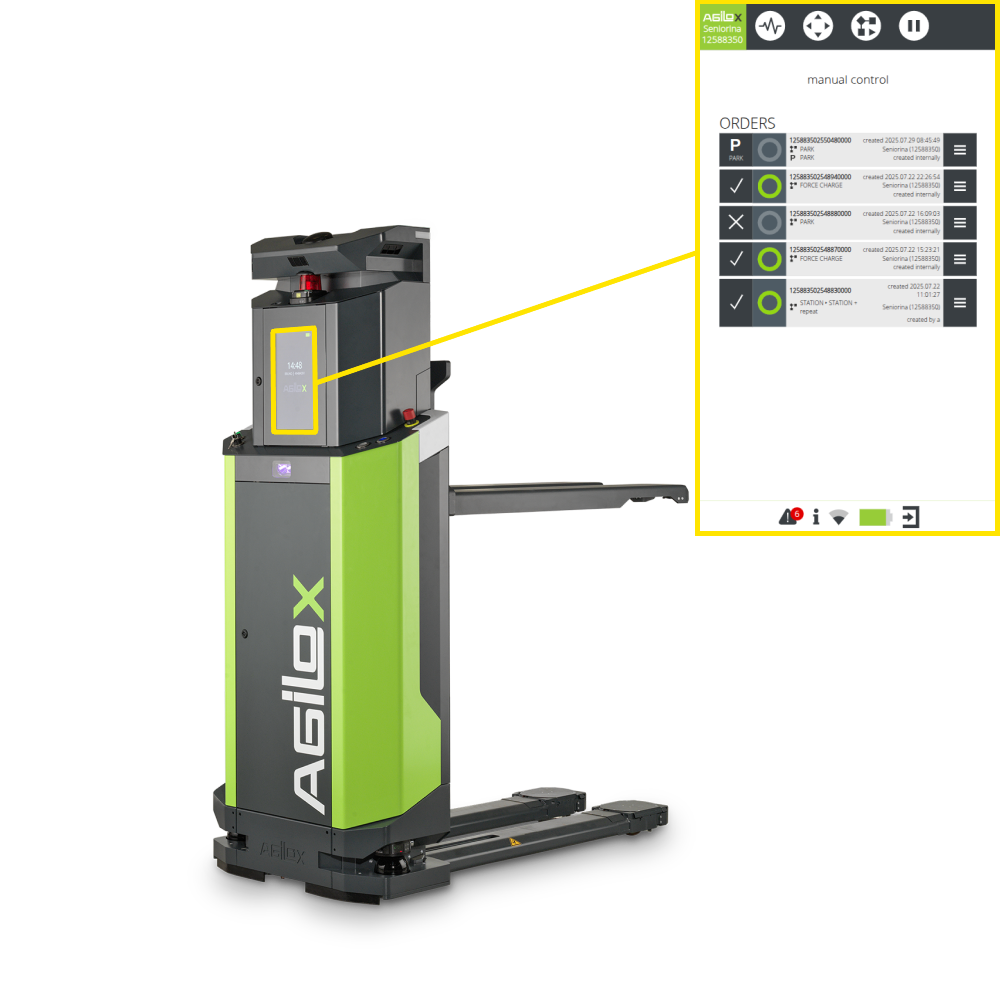
A reduced, user-friendly interface facilitates access to important information and functions.
For the touch display, no login with a keyboard is provided. Instead, a simplified authorisation logic is used by switching the operating modes.
• Order handling.
• Manual mode.
• Maintenance mode.
The following functions are available on the display:
• Vehicle information.
• Information on order status.
• Visualisation of protective field violations.
• Warning when battery is low.
• Start, cancel and skip orders (can be optionally enabled).
• Control in manual mode (can be optionally enabled).
• Simplified access to maintenance mode (Wi-Fi hotspot via QR code) (can be optionally enabled).
During inactivity, a screen saver is activated to reduce energy consumption, displaying the time, serial number and name of the vehicle. It is also possible to integrate a customised customer logo.